Check if you’ve had a security breach

Aside

Many of the popular websites and services have been or at some point or will be targetted and exploited. As a result, it is most likely that at least one of your online accounts has been pwned at some point. This doesn’t mean your account has been cracked but it could mean that some of your private information has been leaked (e.g. email, password, personal info like date of birth, etc…). Recently Gmail has been exploited by attachement phishing.

There’s no guaranteed way to check if your account has been hacked but one way is to check if you’ve been pwned. Just enter your username or email to check if you’ve been pwned.
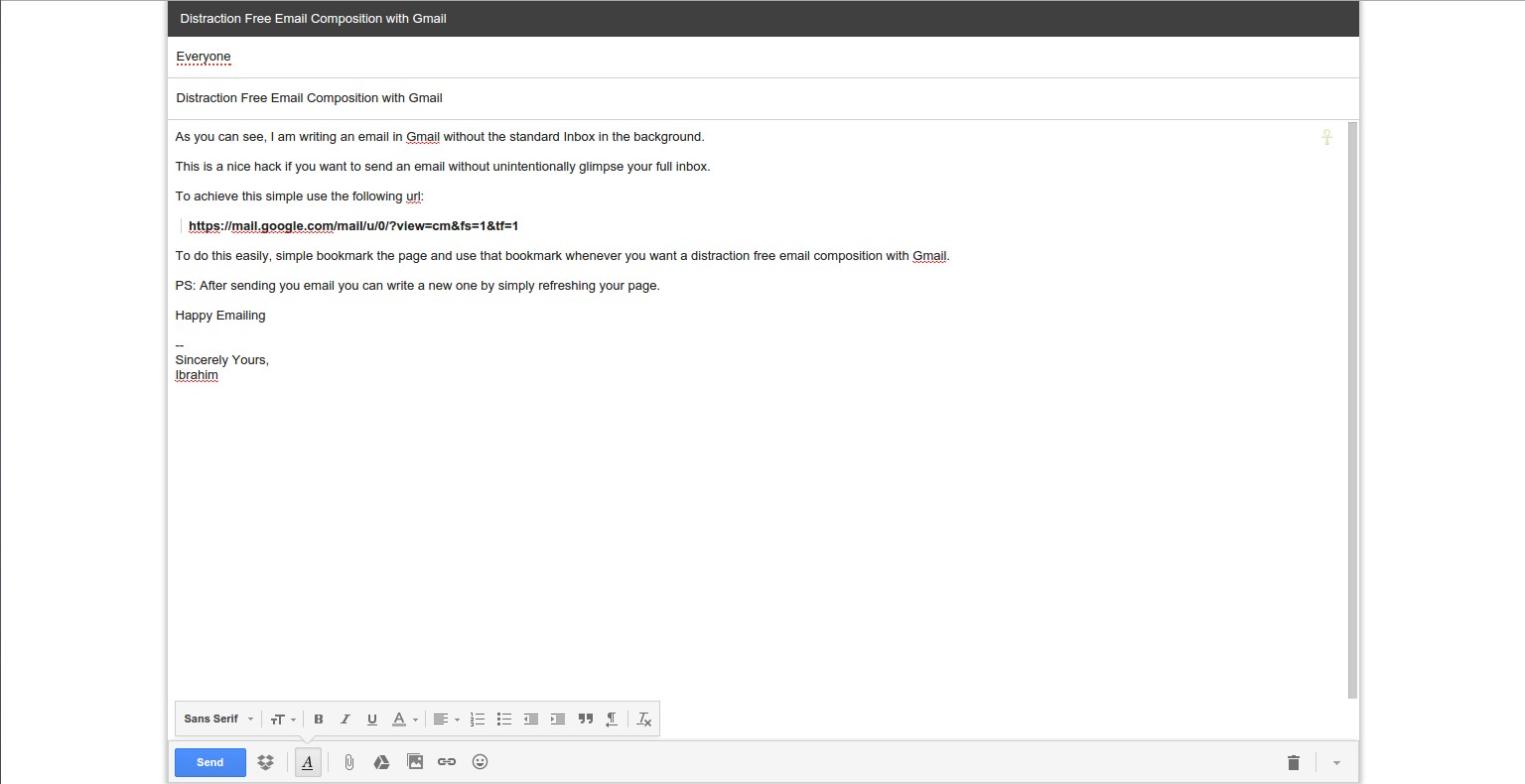

Distraction Free Email Composition with Gmail

Aside

As you can see, I am writing an email in Gmail without the standard Inbox in the background. This is a nice hack if you want to send an email without unintentionally glimpse your full inbox. To achieve this simple use the following url:

​​https://mail.google.com/mail/u/0/?view=cm&fs=1&tf=1

To do this easily, simple bookmark the page and use that bookmark whenever you want a distraction free email composition with Gmail. ​​ PS: After sending you email you can write a new one by simply refreshing your page. Happy Emailing — Sincerely Yours, Ibrahim Selection_026

Tip from a reader (Marc): If you want a similar solution when replying to a email, simply pop-out the reply window then clicking the double-arrow icon in the upper right corner while pressing the shit key as shown in the images below.

An easier keyboard-based solution is Shift+r.
