Maps for Linux & Ubuntu

Standard

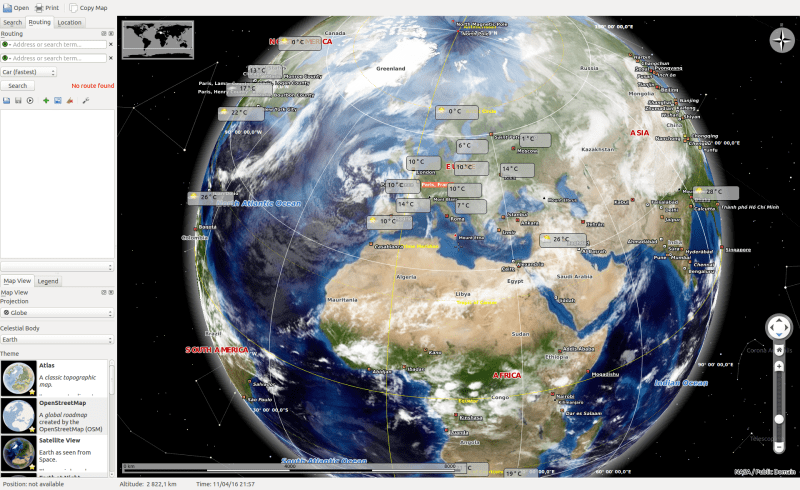
Everyone uses digital maps these days, I assume. At least I do. Since I’ve been using them more often lately, I checked if there are any apps for Linux and especially Ubuntu. The search returned 4 apps.

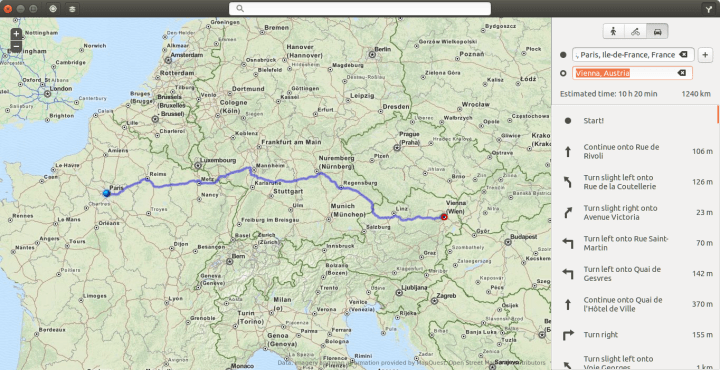
Maps (aka gnome-maps)

is a map application for GMONE. Its use is slick and fast. It is supposed to be simplistic
Search and directions is functional (based on MapQuest if I’m not mistaken) but geolocation isn’t. Moreover, the satellite imagery is not available at high resolution.
Maps_015.png

Continue reading

Solution for “Error interpreting JPEG image file (Not a JPEG file: starts with 0x89 0x50)”

Standard

I recently faced a problem opening some JPG images that I have downloaded somewhere over the internet, probably Twitter. So I though I’d share the problem and the simple solution.

When I tried opening an image I got the following error

Error interpreting JPEG image file (Not a JPEG file: starts with 0x89 0x50)

As the error states I was trying to open an image with a JPEG extension but which was not actually a JPEG image. To further verify this and know the actually format I ran this command in the terminal:

file file_name.jpg

which will give you something like this:

PNG image data, 346 x 480, 8-bit/color RGB, non-interlaced

The solution was to imply replace .jpg or .jpeg with the appropriate format, .png in this case.

References

I can’t open .jpg files, what to do?, Ask Ubuntu
Why am I getting the error: “Not a JPEG file: starts with 0x89 0x50”, StackOverflow

Linux tip: find your bash command in less than 3 seconds

Standard

Many Linux users usually need to repeat the same command over and over again. For the newbie she will often re-write the whole command. The average use might already know that there’s something called a bash history and so she would use the up and down arrows to navigate through the history. It will take a while to find the needed command.

The more advanced user would know the trick I am about to tell you to find the appropriate command in less than 3 seconds.
Continue reading

A Linux Guide to Book Scanning (& processing)

Link

A Linux Guide to Book Scanning (& processing)
https://natecraun.net/articles/linux-guide-to-book-scanning.html

Mainframs, Unix, CERN computing center, Ubuntu driving Mercedes-Benz

Video

Here’s a couple of interesting videos I’ve watched recently:

Mainframes and the Unix Revolution

If you liked this video, I suggest you read the book “Turing’s Cathedral”. Check the review.

Continue reading